Navigation Builder: Your Menu, Your Way
Your site's menu is how patients find their way around. If they can't quickly locate your services, your new patient specials, or how to book, they may move on. The new Navigation Builder puts the shape of that menu in your hands.
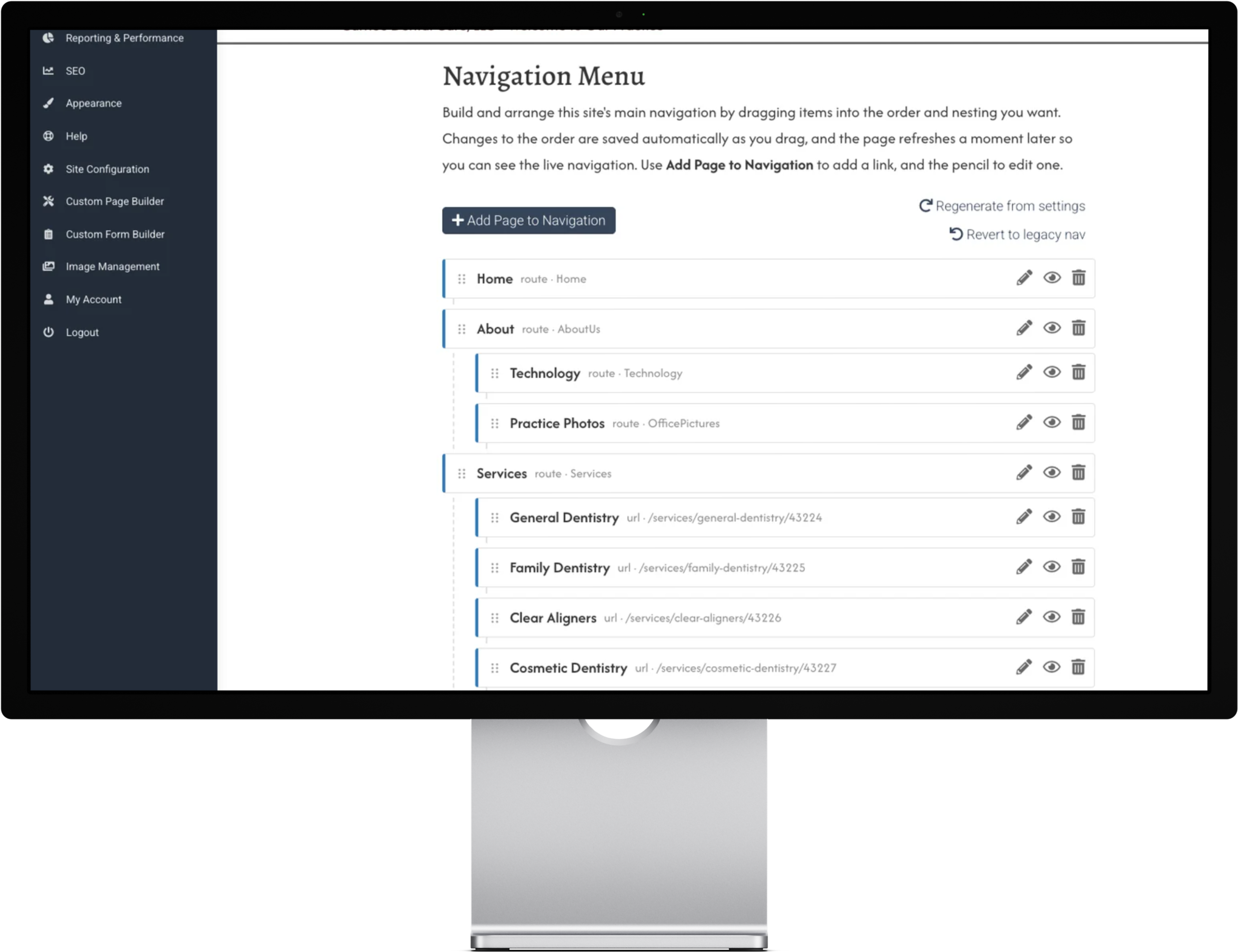
Everything in one place. You can now manage your entire site menu from a single page in your dashboard, under Site Configuration > Navigation Menu. No more hunting through individual pages to change where something appears.
Start from what you already have. When you switch to the new builder, it creates a starter menu based on your current navigation. Nothing on your live site changes until you decide to make a change.
Simple drag and drop. Reorder menu items, nest pages underneath a main heading, rename a link, or add something new, all by dragging and clicking. Each change saves automatically, and you'll see a quick confirmation so you know it worked.
Add your custom pages and forms. Built a custom page for careers or a seasonal promotion? You can place it right in your menu so patients can find it, and your custom forms can go there too.
Prefer the way things were? The new builder is optional. Your current navigation keeps working exactly as it does today, and a single Revert to legacy nav button puts it back whenever you want.
Form Builder: Custom Forms for Every Purpose
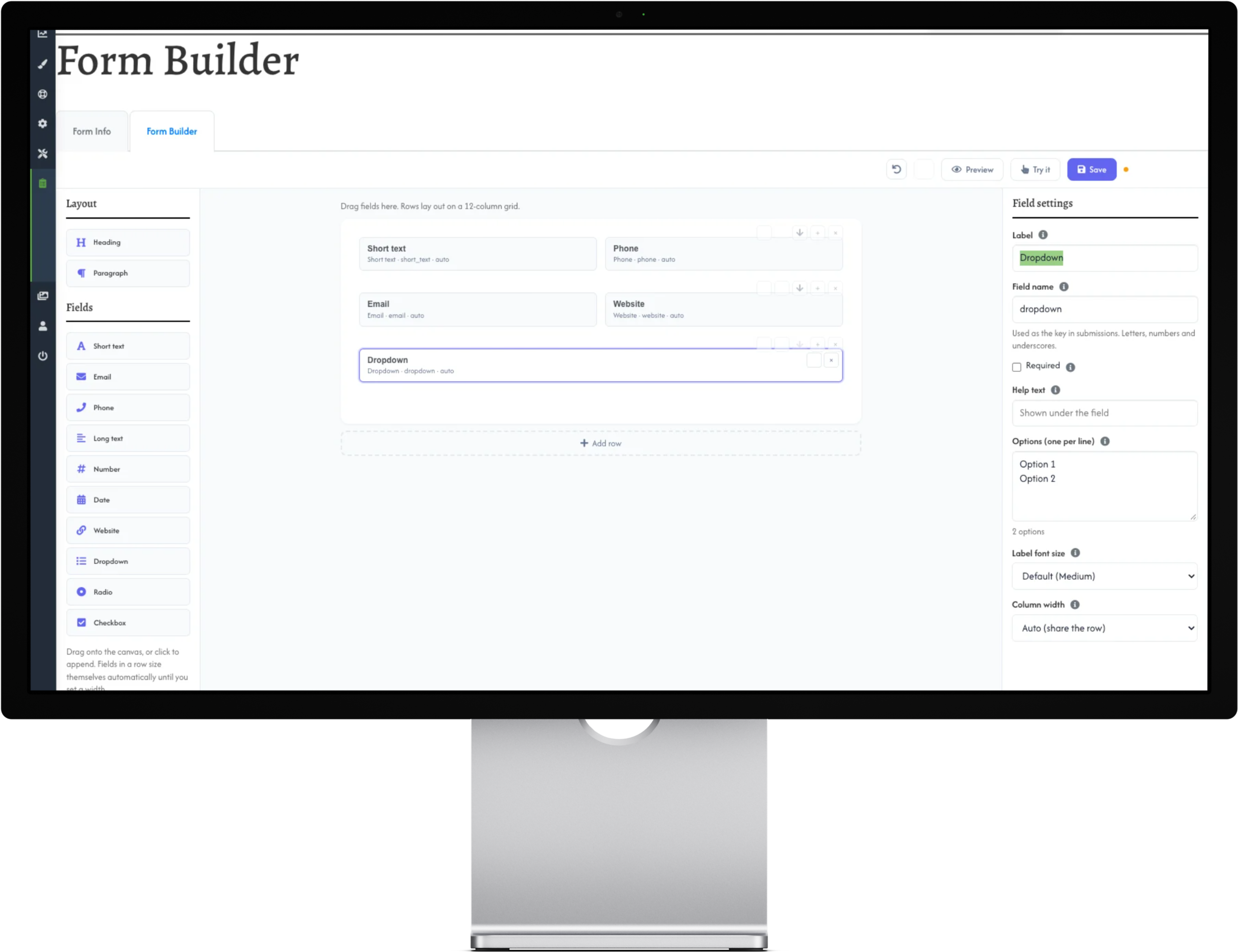
A standard contact form works well for general questions. But many practices want more: a consultation request for implants, a sign-up for a membership plan, or a short form tied to a specific promotion. The new Form Builder makes these possible.
Built for you by our team. Your Great Dental Websites team can now create custom forms tailored to your practice, with the fields, headings, and wording you need. Just tell your Marketing Coach what you'd like to collect, and we'll take it from there.
Placed right where patients need them. Custom forms can go directly onto your custom pages, so a patient reading about a treatment can request a visit without leaving the page. Forms can also appear elsewhere on your site and in your navigation menu.